Skip to content
Ollama
Search
⌘
Ctrl
K
Main Navigation
更多文档
Home
简体中文
Select Language
English
日本語
Español
한국어
Русский
Português (BR)
Français
Deutsch
Bahasa Indonesia
Tiếng Việt
العربية
繁體中文
Italiano
Українська
Polski
Türkçe
ภาษาไทย
हिन्दी
Nederlands
简体中文
Select Language
English
日本語
Español
한국어
Русский
Português (BR)
Français
Deutsch
Bahasa Indonesia
Tiếng Việt
العربية
繁體中文
Italiano
Українська
Polski
Türkçe
ภาษาไทย
हिन्दी
Nederlands
Appearance
Menu
Return to top
On this page
安装
安装
Zed
。
在 Ollama 中使用
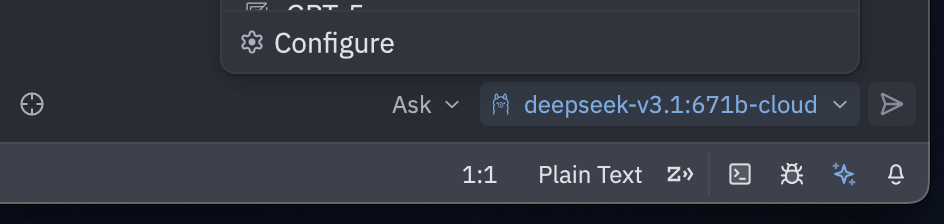
在 Zed 中,点击右下角的
星形图标
,然后选择
Configure
。
在
LLM Providers
下,选择
Ollama
确认
Host URL
为
http://localhost:11434
,然后点击
Connect
连接成功后,在
Ollama
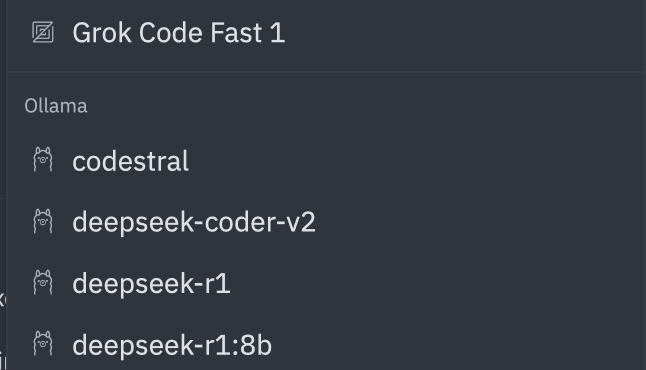
下选择一个模型
连接到 ollama.com
在
ollama.com
上创建一个
API key
在 Zed 中,打开
星形图标
→
Configure
在
LLM Providers
下,选择
Ollama
将
API URL
设置为
https://ollama.com