安装
在您的 IDE 中安装 Cline。
与 Ollama 配合使用
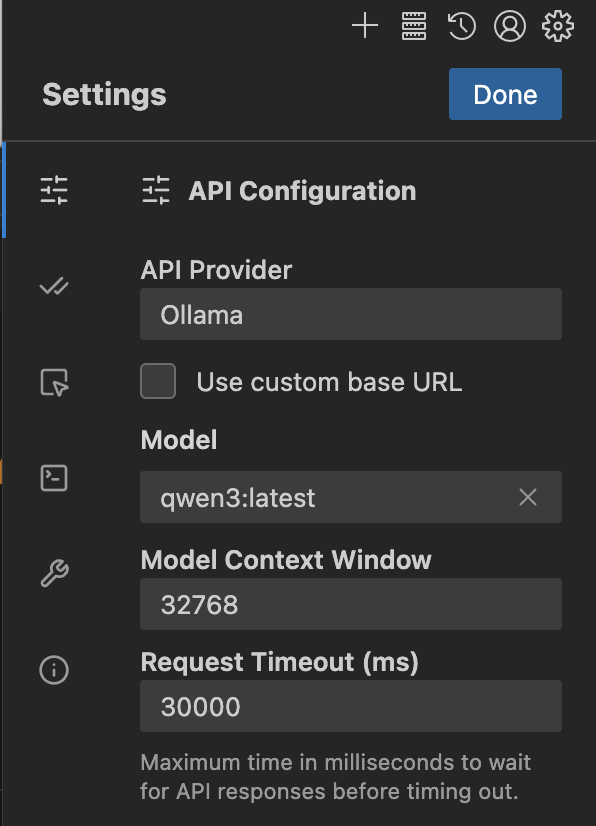
- 打开 Cline 设置 >
API Configuration并将API Provider设置为Ollama - 在
Model下选择一个模型或输入一个(例如qwen3) - 在
Context Window下将上下文窗口更新为至少 32K tokens
注意
编程工具需要更大的上下文窗口。建议使用至少 32K tokens 的上下文窗口。有关更多信息,请参阅 Context length。
连接到 ollama.com
- 从 ollama.com 创建 API key
- 点击
Use custom base URL并将其设置为https://ollama.com - 输入您的 Ollama API Key
- 从列表中选择一个模型
推荐模型
qwen3-coder:480bdeepseek-v3.1:671b