安裝
在您的 IDE 中安裝 Cline。
搭配 Ollama 使用
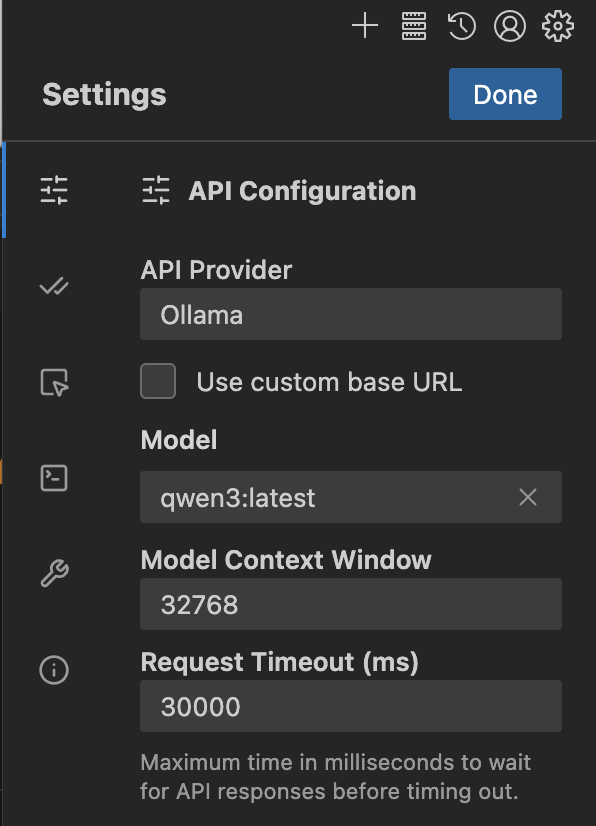
- 開啟 Cline 設定 >
API Configuration,並將API Provider設定為Ollama - 在
Model底下選擇一個模型,或直接輸入一個模型(例如qwen3) - 在
Context Window底下將上下文視窗更新為至少 32K tokens
注意
程式碼工具需要較大的上下文視窗。建議使用至少 32K tokens 的上下文視窗。如需更多資訊,請參閱 Context length。
連線至 ollama.com
- 從 ollama.com 建立一個 API key
- 點擊
Use custom base URL並將其設定為https://ollama.com - 輸入您的 Ollama API Key
- 從列表中選擇一個模型
推薦模型
qwen3-coder:480bdeepseek-v3.1:671b