Context length is the maximum number of tokens that the model has access to in memory.
Note
Ollama defaults to the following context lengths based on VRAM: - < 24 GiB VRAM: 4k context - 24-48 GiB VRAM: 32k context - >= 48 GiB VRAM: 256k context
Tasks which require large context like web search, agents, and coding tools should be set to at least 64000 tokens.
Setting context length
Setting a larger context length will increase the amount of memory required to run a model. Ensure you have enough VRAM available to increase the context length.
Cloud models are set to their maximum context length by default.
App
Change the slider in the Ollama app under settings to your desired context length. 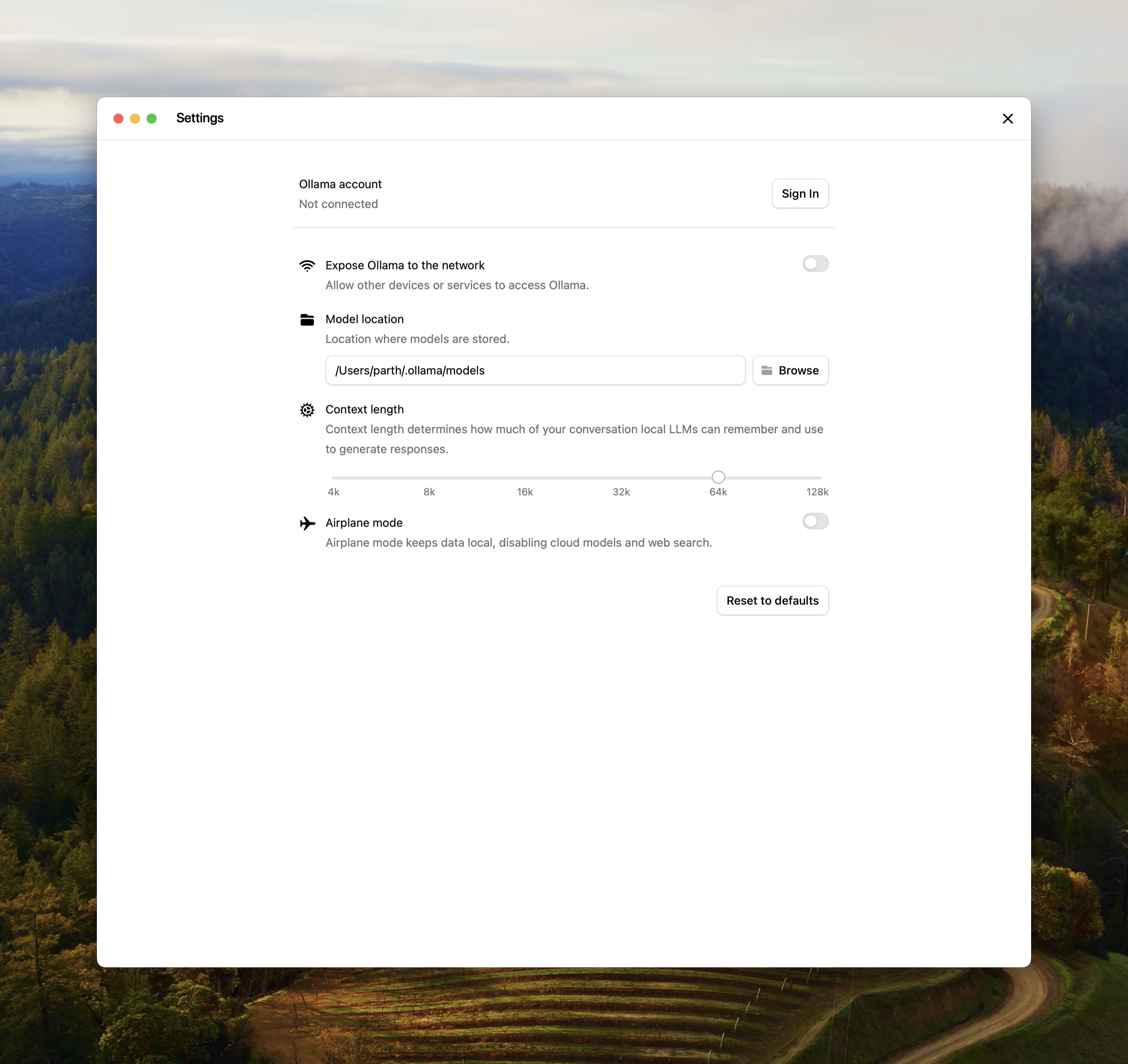
CLI
If editing the context length for Ollama is not possible, the context length can also be updated when serving Ollama.
OLLAMA_CONTEXT_LENGTH=64000 ollama serveCheck allocated context length and model offloading
For best performance, use the maximum context length for a model, and avoid offloading the model to CPU. Verify the split under PROCESSOR using ollama ps.
ollama psNAME ID SIZE PROCESSOR CONTEXT UNTIL
gemma4:latest c6eb396dbd59 9.6 GB 100% GPU 131072 2 minutes from now